
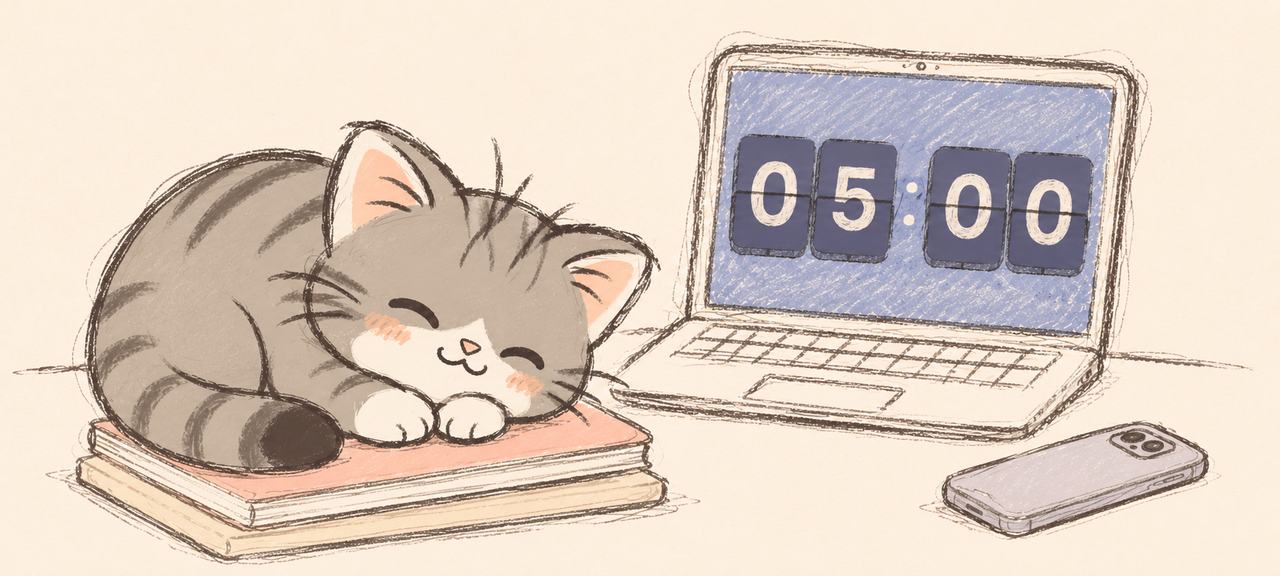
A flip clock timer for studying shows the countdown on your laptop, and an app blocker keeps your phone apps closed for the same stretch. Open the timer, pick a length, block the apps you reach for, then put the phone out of arm’s reach. As of November 2026 we’ve found no study that tests flip clocks, so ask the clock for one job only, showing you the time left.
Quick answer
- The setup: Run Loki’s free flip clock timer full screen on your laptop, and block your distracting iPhone apps with the Loki app or Apple’s Screen Time for the same hours.
- The length: 25 minutes is a fair first try, and two studies of planned breaks disagree on whether it beats choosing your own (Biwer and colleagues, 2023; Smits, Wenzel and de Bruin, 2025).
- The clock: In a 2024 lab experiment with 21 undergraduates, a visible clock sped up a search task and left accuracy unchanged (Hu and colleagues, 2024); nobody we found has tested a flip clock.
- The phone: In a six-week field study of one sec, an app that adds a pause before a chosen app opens, about 36% of attempts ended with the person closing the app (Grüning, Riedel and Lorenz-Spreen, 2023).
- The limit: Loki works on iPhone only, so it can’t touch the tabs on your laptop.
How to set up a flip clock timer for studying
A flip clock timer for studying needs a browser tab and a phone you’ve already dealt with. These six steps use free tools, and Apple’s Screen Time can replace Loki in step 3.
- Open the flip clock timer on your laptop and press F for full screen. It runs in the browser with no account.
- Write down one task and its first move, in the form “When the clock starts, I open chapter 4 and read the first section.” That form is called an implementation intention, a plan that names the moment and the action, and a meta-analysis of 94 tests by Gollwitzer and Sheeran (2006) found a medium-to-large effect on goal achievement (d = 0.65).
- Block your phone apps. In Loki, tap an app on the Blocks tab and choose Block for today, or set up a repeating block. With Apple’s tools, follow our guide to blocking apps on iPhone.
- Put the phone somewhere you’d have to stand up to reach it. Our guide to studying without your phone covers where to put it and what the research on nearby phones found.
- Slide to your length and press Start. After a few seconds the controls fade and only the digits stay. Turn the flip sound off first if a soft flip every second would bother you.
- When the bell rings, press Stop the bell, write down your next step and take a break away from the screen. The bell repeats until you stop it, so it can reach you from a background tab.
If you always use the same session length, bookmark a link such as lokifocus.app/flipclock?t=50:00, which starts a 50-minute timer when the page opens. Click once on the page so your browser lets the bell ring.
Tools for a phone-free study setup
A phone-free study setup can use four tools: Loki’s flip clock timer, the Flip Clock Focus Timer extension for Chrome, the Loki iPhone app and Apple Screen Time. The table compares them as of November 2026. We make the first three, and Apple makes the fourth.
| Tool | Runs on | Shows the time left | Blocks phone apps | Cost |
|---|---|---|---|---|
| Loki’s flip clock timer | Any browser | Full screen, with seconds | No | Free |
| Flip Clock Focus Timer | Chrome on a computer | Full tab, plus minutes on the toolbar icon | No | Free |
| Loki | iPhone, iOS 17 or later | On the phone and the lock screen | Yes | Free for 2 running blocks; PRO adds more |
| Apple Screen Time | iPhone | No | Yes; on iOS 26 and earlier, limits can be ignored by default | Included with iOS |
The Flip Clock Focus Timer extension suits people who close tabs by habit, because it keeps counting with the tab closed. For iOS 26 and earlier, Apple’s guide says that “by default, Screen Time limits can be ignored once reached” (Apple Support), and our troubleshooting guide shows how to close that gap.
How long should a flip clock study session be?
A flip clock study session of 25 minutes with a 5-minute break is the classic Pomodoro pattern, and the research doesn’t settle whether it beats breaks you choose yourself. In a one-day study of 87 Dutch students doing their own self-study, Biwer and colleagues (2023) found that planned breaks (24 minutes of work, 6 of rest) beat self-chosen ones on fatigue and motivation. A randomized study by Smits, Wenzel and de Bruin (2025), with 94 students in a two-hour session, saw fatigue rise faster with Pomodoro breaks than with self-chosen ones, though overall fatigue, motivation and productivity didn’t differ.
Start at 25 minutes. If the bell keeps cutting you off mid-paragraph, slide up to 45 or 50; the slider goes to 60. If a task feels too big to begin, try 5. Our guide to Pomodoro alternatives compares the other patterns and what each one fixes.
Does seeing a clock help you focus?
As of November 2026, our searches of Europe PMC and the open web found no study of flip clocks, and research on seeing a clock while you work is thin. In the closest studies below, a visible clock or timer sometimes changed pace or behavior and mostly left accuracy, scores and outcomes where they were.
- A 2024 lab experiment by Hu and colleagues in Frontiers in Psychology had 21 undergraduates search for a letter on screen. They answered faster with a clock on display, and accuracy didn’t change.
- Children aged 7 to 9 took a timed math test with and without a visual timer, a dial that shows the time left, in a 2025 study of 44 children by Hallez and Vallier. The timer went with lower anxiety beforehand and less inattentive behavior, and scores didn’t change. A quarter of the children checked it more than seven times in five minutes.
- Hospital studies split. One stroke center switched a highly visible wall timer on and off every two weeks, and the time from entering the procedure room to starting the procedure fell from 33 to 28 minutes across 97 cases, with no change in 90-day outcomes (Khazaal and colleagues, 2022). A pre-post cohort study of 100 patients found that a clock in a Dutch trauma room made no significant difference to resuscitation times (Berkeveld and colleagues, 2024).
None of these studies took place at a desk with a textbook, so read them as hints. The children’s checking habit is the one to watch for. If your eyes keep going to the digits, shrink the clock with the size slider or move the laptop’s screen out of your direct view while you read from paper.
Why pair a timer with an app blocker?
A timer on your laptop has no say over the phone beside it, and an app blocker changes what happens when you reach for that phone mid-session. The best-known test of that idea is one sec, an app that adds a pause before a chosen app opens. In a six-week field study of one sec published in PNAS in 2023, Grüning, Riedel and Lorenz-Spreen found that about 36% of attempts to open a target app ended with the person closing it, and app openings fell 57% by week six (PNAS). One author created one sec, there was no comparison group, and Loki wasn’t in the study.
In a 2015 experiment, Stothart, Mitchum and Yehnert found that notifications alone “significantly disrupted” performance on an attention task, even when people didn’t touch the phone. A 2008 lab study of 48 people answering email, by Mark, Gudith and Klocke, saw interrupted people finish faster and report more stress.
Neither the timer nor Loki stops a browser tab, so close what you don’t need before you press Start.
Using Loki with a flip clock timer
Loki (Loki: Screen Time & App Limits on the App Store, Loki Focus on your home screen) is an iPhone app blocker and focus timer made by AimLabs. It’s free to download; Loki PRO is $29.99 a year after a 7-day free trial, or $4.99 a month (US prices, November 2026).
In this setup, Loki looks after the phone while the laptop keeps the time. Block for today holds an app until midnight, which suits a one-off afternoon. For a regular slot, the Study time template runs Monday to Friday, 4 to 6 p.m., and Deep work runs Monday to Friday, 9 to 11 a.m. You pick the apps and can change the hours. Two 50-minute flip clock sessions with a break between them fit inside a two-hour block.
Reach for a held app and Loki shows a rotating question with your own goal and why. I need this app leads to a short reflection, and firmness, the strictness you choose in advance, decides the rest. On Gentle the app opens until the block ends, on Committed you get 5 minutes, and on Locked that screen has no unlock. Any blocker can be deleted, Loki included.
Loki has its own focus timer on the phone, and flip clock sessions don’t appear in Loki’s history. To keep a record, start a session in Loki at the same time. With Protect the focus (PRO), that session holds everything except Loki or an allow list, the apps you choose to keep open.
Up to 2 running recurring blocks are free, along with Loki’s focus timer and up to 3 goals, and Block for today doesn’t count toward the 2. Loki PRO brings Protect the focus, extra running blocks and allow-only blocks, which hold everything except the apps you choose. Only the yearly plan has a free trial, and either one can be canceled anytime. See everything Loki does.

FAQ
Can I use a flip clock timer for Pomodoro?
A flip clock timer works for Pomodoro if you run each round yourself, with 25 minutes of study, a 5-minute break, and then the next round. Loki’s flip clock timer doesn’t start breaks on its own, so you press Start for every round. Two bookmarks save the sliding: lokifocus.app/flipclock?t=25:00 and lokifocus.app/flipclock?t=5:00.
Is a flip clock timer with seconds distracting?
A flip clock timer with seconds can pull your eye, because something on screen moves every second. Loki’s flip clock timer always shows minutes and seconds. To calm it down, turn off the flip sound, make the clock smaller with the size slider and hide the controls. You may find the steady flip keeps you moving, so try a session both ways.
Is a flip clock timer better than the timer on my phone?
A flip clock timer on a laptop means you never pick up your phone to start or check a session, which is the main reason to choose one. Setting a timer on your phone means passing every notification on the way. A kitchen timer does the same job if you’d rather keep the laptop free for work.
Is an online flip clock safe to use?
Loki’s online flip clock needs no account and shows no ads, and it saves your theme, size and sound in your own browser. The music player, the one outside service, comes from YouTube and loads only after you press the music button. Our privacy policy has the details. For other flip clock sites, read their privacy page first.
Can I use a flip clock for studying online on a tablet or phone?
A flip clock for studying online works in any modern browser, and a tablet makes a good second screen next to your books. Loki’s flip clock timer runs on a phone too, and turning it sideways gives the biggest digits. Using your phone as the clock keeps it in front of you, though, so save that for when you have nothing else.
Sources
- Gollwitzer, P. M., and Sheeran, P. “Implementation intentions and goal achievement: A meta-analysis of effects and processes.” Advances in Experimental Social Psychology 38, 69–119, 2006. https://doi.org/10.1016/S0065-2601(06)38002-1 (repository record: https://kops.uni-konstanz.de/entities/publication/2e749bfb-8533-437c-8203-7e788c910c5f)
- Apple Support. “Set schedules with Screen Time on iPhone” (iPhone User Guide, iOS 26). 2026. https://support.apple.com/en-us/guide/iphone/iphb0c7313c9/26.0/ios/26.0
- Biwer, F., Wiradhany, W., oude Egbrink, M. G. A., and de Bruin, A. B. H. “Understanding effort regulation: Comparing ‘Pomodoro’ breaks and self-regulated breaks.” British Journal of Educational Psychology 93(S2), 353–367, 2023. https://doi.org/10.1111/bjep.12593 (abstract on PubMed: https://pubmed.ncbi.nlm.nih.gov/36859717/)
- Smits, E. J. C., Wenzel, N., and de Bruin, A. “Investigating the Effectiveness of Self-Regulated, Pomodoro, and Flowtime Break-Taking Techniques Among Students.” Behavioral Sciences 15(7), 861, 2025. https://doi.org/10.3390/bs15070861 (free full text: https://pmc.ncbi.nlm.nih.gov/articles/PMC12292963/)
- Hu, J., Chen, Q., Lu, D., and He, J. “The impact of clock timing on VDT visual search performance under time constraint.” Frontiers in Psychology 15, 2024. https://doi.org/10.3389/fpsyg.2024.1369920 (free full text: https://pmc.ncbi.nlm.nih.gov/articles/PMC11284105/)
- Hallez, Q., and Vallier, V. “Time on Their Side: How Visual Timers Affect Anticipatory Anxiety, Performance, and On-Task Behavior in Elementary Math Assessments.” European Journal of Investigation in Health, Psychology and Education 15(12), 2025. https://doi.org/10.3390/ejihpe15120243 (free full text: https://pmc.ncbi.nlm.nih.gov/articles/PMC12731990/)
- Khazaal, O., Cox, M., Grodinsky, E., and colleagues. “Highly Visible Wall-Timer to Reduce Endovascular Treatment Time for Stroke.” Stroke: Vascular and Interventional Neurology 2(6), 2022. https://doi.org/10.1161/svin.121.000300 (free full text: https://pmc.ncbi.nlm.nih.gov/articles/PMC10431196/)
- Berkeveld, E., Azijli, K., Bloemers, F. W., and Giannakópoulos, G. F. “The effect of a clock’s presence on trauma resuscitation times in a Dutch level-1 trauma center: a pre-post cohort analysis.” European Journal of Trauma and Emergency Surgery 50(2), 2024. https://doi.org/10.1007/s00068-023-02371-0 (free full text: https://pmc.ncbi.nlm.nih.gov/articles/PMC11035447/)
- Grüning, D. J., Riedel, F., and Lorenz-Spreen, P. “Directing smartphone use through the self-nudge app one sec.” Proceedings of the National Academy of Sciences 120(8), e2213114120, 2023. https://doi.org/10.1073/pnas.2213114120 (free full text: https://pmc.ncbi.nlm.nih.gov/articles/PMC9974409/)
- Stothart, C., Mitchum, A., and Yehnert, C. “The attentional cost of receiving a cell phone notification.” Journal of Experimental Psychology: Human Perception and Performance 41(4), 893–897, 2015. https://doi.org/10.1037/xhp0000100 (abstract on PubMed: https://pubmed.ncbi.nlm.nih.gov/26121498/)
- Mark, G., Gudith, D., and Klocke, U. “The cost of interrupted work: more speed and stress.” Proceedings of the SIGCHI Conference on Human Factors in Computing Systems (CHI ‘08), 107–110, 2008. https://ics.uci.edu/~gmark/chi08-mark.pdf
Related reading
- How to stop using your phone while studying
- Pomodoro technique alternatives: 5 flexible focus methods
- How to set goals and achieve them
Set the clock on your laptop, give your phone apps the same hours off, and start with the first line of the first page.
Free to download. iPhone, iOS 17+.