
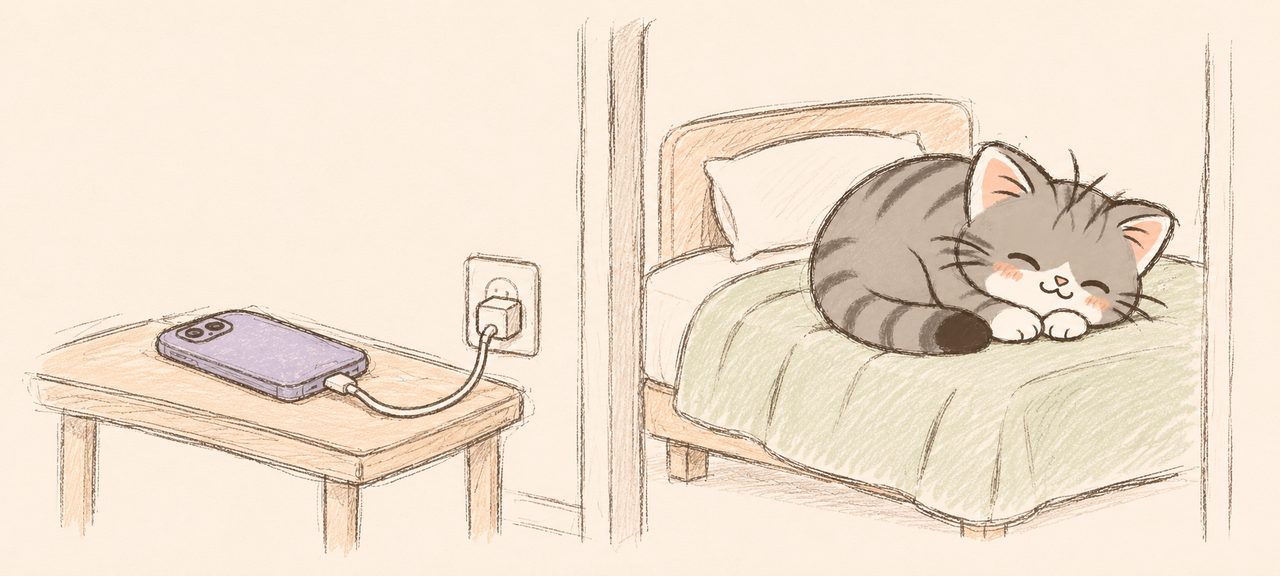
To stop scrolling in bed, change the setup so the tired 11 p.m. version of you has less to decide: charge the phone outside the bedroom, use a separate alarm clock, and put the phone away at least 30 minutes before lights out, as the American Academy of Sleep Medicine advises. Sleep Focus on iPhone quiets notifications, and a Screen Time schedule or an app blocker can block the apps you scroll overnight. A warmer screen probably won’t fix it on its own. In a 2021 randomized study of 167 young adults by Duraccio and colleagues in Sleep Health, Night Shift made no measurable difference to sleep.
Quick answer
- Charging your phone outside the bedroom and using a cheap alarm clock closes the “I’ll just check the time” route into the feed.
- The American Academy of Sleep Medicine advises turning off electronic devices at least 30 minutes before bedtime (AASM, updated 2020). This guide suggests 30 to 60 minutes, with something planned for that time.
- The sleep schedule in iPhone’s Health app turns on Sleep Focus at the start of wind down, which can begin 15 minutes to 3 hours before bedtime (Apple’s iPhone User Guide, November 2026).
- Screen Time on iOS 27 blocks apps at night through Screen Time Schedule, where Time Allowance categories you leave unselected in a night time window aren’t available during it (Apple’s iOS 27 guide). On iOS 26 and earlier, use Downtime with Block at Downtime.
- Night Shift alone made no difference to sleep in a 2021 randomized study of 167 people aged 18 to 24 (Duraccio and colleagues, Sleep Health).
How to stop scrolling in bed: a 7-step wind-down plan
The seven-step wind-down plan moves the phone out of reach first, then sets up iPhone’s sleep and Screen Time tools to back you up.
1. Pick a phone bedtime
Choose a time 30 to 60 minutes before you want to be asleep. The 30 minutes is the American Academy of Sleep Medicine’s minimum (healthy sleep habits list, updated August 2020); the hour is this guide’s suggestion. If an hour sounds like a lot, start at 30 and move the time earlier once that feels normal.
2. Give that time a job
Choose what you’ll do instead, like reading a chapter, a shower and a stretch, or writing tomorrow’s first task on paper. A plan to do something gives you somewhere to go when the urge to check shows up; a plan to avoid the phone leaves the gap open.
3. Charge the phone outside the bedroom
Charge it in the kitchen or the living room, and buy a basic alarm clock so the phone has no job next to your bed. Once the phone sleeps in another room, scrolling means getting up and standing in the kitchen at midnight instead of tapping a screen on your pillow.
4. Set a sleep schedule with Sleep Focus
In the Health app, tap Browse, then Sleep, then Sleep again, then Get Started, and set your bedtime and wake time. Apple’s guide to setting up sleep says a wind down period can begin 15 minutes to 3 hours before bedtime, and your Sleep Focus starts with it, filtering notifications and phone calls. To choose who can still reach you at night, open Settings > Focus > Sleep (Apple’s Sleep Focus guide).
5. Block the apps you scroll at night
Screen Time on iOS 27 decides what’s available in each time window by Time Allowance category. Start in Settings > Screen Time > Time Allowances, tap Manage Categories and add the categories you scroll, such as Social Media and Entertainment. Then go to Settings > Screen Time > Screen Time Schedule, turn on Schedule, tap Add Schedule, choose the days and add a night time window, for example 10 p.m. to 7 a.m. In that window, select only the categories you want at night and leave Social Media and the rest unselected. Apple’s iOS 27 guide to Screen Time Schedules says each time window shows the Time Allowance categories that are available, so a category you leave out isn’t available during that window. Apps and people you add under Always Allowed stay available all night.
On iOS 26 and earlier, open Settings > Screen Time > Downtime, turn on Scheduled and set the hours, then turn on Block at Downtime. Apple’s iOS 26 guide says that option needs a Screen Time passcode. With it on, restricted apps can’t be opened during downtime; with it off, you see a reminder and can keep using them.
For the same steps for any single app, see how to block apps on iPhone. If Instagram and TikTok are what keep you up, our guide to blocking social media on iPhone covers those apps one by one.
6. Move your evening scroll earlier
If the phone is your fun, give it a slot earlier in the evening instead of in bed, such as 30 minutes on the couch at 9 p.m. with the phone on the charger by 9:30 p.m.
7. When a night runs late, change one thing
After a night that ran until 1 a.m., ask what made scrolling easy (the phone within reach, a phone bedtime set too late, a stressful day) and change that one part of the plan for the next night.
Which iPhone tools help at night?
Five tools and habits help at night, from a charger outside the bedroom to an app blocker’s bedtime block, and the table compares what each one does at night and what it leaves to you.
| Tool | What it does at night | What it won’t do |
|---|---|---|
| Charger outside the bedroom | Puts a walk between you and the feed | Stop you walking to the kitchen |
| Sleep Focus with wind down | Filters notifications and calls from wind down until wake time | Block apps you open yourself |
| Screen Time Schedule (iOS 27) or Downtime (iOS 26 and earlier) | Makes chosen app categories unavailable in a night window | Ask why you’re opening the app |
| Night Shift | Warms the screen’s colors | Change sleep on its own, in Duraccio’s 2021 study |
| An app blocker’s bedtime block | Blocks chosen apps all night, with a pause before unlocking | Stop you switching it off |
Why can’t I stop scrolling at night?
Staying up on your phone later than you meant to has a research name, bedtime procrastination, which Floor Kroese and colleagues at Utrecht University introduced in 2014. They defined it as “failing to go to bed at the intended time, while no external circumstances prevent a person from doing so.” In their online survey of 177 adults, people who reported more bedtime procrastination also reported more insufficient sleep, even after accounting for demographics and self-regulation. Because it was a survey, it shows a link and can’t prove a cause.
Revenge bedtime procrastination, the internet’s name for one version of the pattern, means staying up late to claw back time that feels like your own after a day that belonged to other people. If the evening is the only time nobody asks anything of you, scrolling in bed is one way to claim it, so protect some time for yourself earlier in the evening (step 6) and keep bed for sleep.
When the thought “one more video” shows up at midnight and the phone is charging in another room, acting on it means getting out of bed, and you can decide whether it’s worth the walk. Reaching for the phone when work gets hard is the daytime version of the same pull, covered in our guide to procrastinating on your phone.
What does research say about using your phone before bed?
Phone use in bed goes with worse sleep in surveys, screen light delayed the body clock in one lab study, and a warmer screen didn’t help in a 2021 randomized study.
In a 2016 survey of 844 adults aged 18 to 94 in Flanders, Belgium, Exelmans and Van den Bulck of KU Leuven found that six in ten took their phone to the bedroom. Texting or calling after lights out predicted worse sleep quality, including taking longer to fall asleep, and bedtime phone use predicted later rise times, higher insomnia scores and more fatigue. The study was cross-sectional, so it can’t say which came first.
In a sleep lab study at Brigham and Women’s Hospital in Boston, published in PNAS in 2015 by Anne-Marie Chang and colleagues, 12 adults read on an iPad for four hours before bed on five nights in a row and read a printed book on five other nights, in random order, according to Harvard Medical School’s summary. With the iPad they took longer to fall asleep (nearly 10 minutes longer, according to Penn State’s news release), made less melatonin, had a later body clock and felt less alert the next morning. The effect was clear, but it came from 12 people reading for four hours in a lab.
In the 2021 Night Shift study, Duraccio and colleagues at Cincinnati Children’s Hospital and Brigham Young University randomly assigned 167 people aged 18 to 24 to use an iPhone with Night Shift, use it without, or skip the phone in the hour before bed for seven nights, with wrist-worn trackers measuring sleep. Across the whole group, sleep didn’t differ between the three conditions. In an exploratory follow-up analysis of people who averaged more than 6.8 hours of sleep, the no-phone group slept best. Apple describes Night Shift as shifting the screen’s colors to the warmer end of the spectrum to make it easier on your eyes.
What you do on the phone and when you put it down probably matter more than the color of the screen. This guide is general information about habits. If you regularly can’t fall asleep or wake up exhausted, talk to a doctor.
To check whether your daily total is a problem, our guide to how much screen time is too much covers the research on hours, and how many times a day people check their phone lines up the survey and logged counts.
Using Loki to hold apps at bedtime
Loki (Loki: Screen Time & App Limits on the App Store, Loki Focus on your home screen) is an iPhone app blocker and focus timer made by AimLabs. It’s free to download; Loki PRO is $29.99 a year after a 7-day free trial, or $4.99 a month (US prices, November 2026).
Loki’s Wind down template is a time schedule that runs every day from 10 p.m. to 7 a.m. You pick the apps you scroll in bed, move the hours to match your phone bedtime, and Loki holds those apps through the night. Your Screen Time data stays on your phone.
When you reach for a held app, Loki’s screen asks a rotating question, such as “How do you want to feel in 20 minutes?”, next to your own goal and why. Tapping I need this app leads to a short reflection, and then your firmness decides what happens. Firmness is one setting for all your blocks and sessions: Gentle opens the app until the block ends, Committed (the default) opens it for 5 minutes, and Locked offers no unlock from that screen, so the apps stay on hold until 7 a.m.
The free tier runs up to 2 recurring blocks at once, so Wind down can be one of them. Loki PRO adds more running blocks, extra time windows and allow-only blocks, and if PRO ends, nothing you’ve set up switches off. The monthly plan has no free trial, and you can cancel anytime. See everything Loki does.

FAQ
How do I stop doomscrolling at night?
Doomscrolling at night, scrolling bad news or endless feeds when you meant to sleep, gets easier to stop once the phone is out of reach. Charge it outside the bedroom, set a phone bedtime at least 30 minutes before sleep, and block news and social apps overnight with Screen Time Schedule (iOS 27), Downtime (iOS 26 and earlier) or an app blocker.
How long before bed should I put my phone away?
The American Academy of Sleep Medicine advises turning off electronic devices at least 30 minutes before bedtime. This guide suggests 30 to 60 minutes. Start at 30 if an hour feels like too much, move the time earlier once the habit holds, and plan what you’ll do in that time, such as reading or getting tomorrow ready.
What is revenge bedtime procrastination?
Revenge bedtime procrastination is the popular name for staying up late, often on your phone, to get time that feels like your own after a busy day. Researchers call the broader pattern bedtime procrastination, which means going to bed later than you meant to when nothing outside you is stopping you. A 2014 online survey of 177 adults by Kroese and colleagues linked it to getting too little sleep.
Does Night Shift help you sleep?
Night Shift probably doesn’t help sleep on its own. In a 2021 randomized study of 167 young adults (Duraccio and colleagues, Sleep Health), sleep didn’t differ between people using an iPhone with Night Shift, without it, or not at all in the hour before bed. Among people who already slept more than about 6.8 hours, skipping the phone did best.
Is it bad to use your phone right before bed?
Using your phone right before bed goes with worse sleep in surveys, such as a 2016 study of 844 adults in Belgium, but surveys can’t show cause. In a small 2015 lab study, reading on an iPad for four hours before bed delayed sleep and the body clock compared with a printed book. Putting the phone down 30 minutes before bed is a low-risk change.
Can I block apps only at night on iPhone?
iPhone can block apps only at night with Screen Time. On iOS 27, add a night time window in Screen Time Schedule and leave the categories you want blocked unselected, since only selected categories stay available. On iOS 26 and earlier, schedule Downtime and turn on Block at Downtime, which needs a Screen Time passcode. An app blocker’s bedtime block adds a pause before unlocking.
Sources
- American Academy of Sleep Medicine. “Healthy Sleep Habits.” Sleep Education, updated August 2020. https://sleepeducation.org/healthy-sleep/healthy-sleep-habits/
- Kroese, F. M., De Ridder, D. T. D., Evers, C., and Adriaanse, M. A. “Bedtime procrastination: introducing a new area of procrastination.” Frontiers in Psychology 5:611, 2014. https://pubmed.ncbi.nlm.nih.gov/24994989/
- Exelmans, L., and Van den Bulck, J. “Bedtime mobile phone use and sleep in adults.” Social Science & Medicine 148, 93–101, 2016. https://pubmed.ncbi.nlm.nih.gov/26688552/
- Chang, A.-M., Aeschbach, D., Duffy, J. F., and Czeisler, C. A. “Evening use of light-emitting eReaders negatively affects sleep, circadian timing, and next-morning alertness.” PNAS 112(4), 1232–1237, 2015. https://pubmed.ncbi.nlm.nih.gov/25535358/
- Harvard Medical School. “E-Readers Foil Good Night’s Sleep.” 2015. https://hms.harvard.edu/news/e-readers-foil-good-nights-sleep
- Penn State News. “Light-emitting e-readers detrimentally shift circadian clock.” 2014. https://www.psu.edu/news/research/story/light-emitting-e-readers-detrimentally-shift-circadian-clock
- Duraccio, K. M., Zaugg, K. K., Blackburn, R. C., and Jensen, C. D. “Does iPhone night shift mitigate negative effects of smartphone use on sleep outcomes in emerging adults?” Sleep Health 7(4), 478–484, 2021. https://pubmed.ncbi.nlm.nih.gov/33867308/
- Apple Support. “Set up sleep in Health on iPhone” (iPhone User Guide). 2026. https://support.apple.com/guide/iphone/set-up-sleep-iphaf56dceb4/ios
- Apple Support. “Turn your Sleep Focus on or off on iPhone” (iPhone User Guide). 2026. https://support.apple.com/guide/iphone/turn-sleep-focus-on-or-off-iph7cdb86325/ios
- Apple Support. “Adjust the screen brightness and color on iPhone” (iPhone User Guide). 2026. https://support.apple.com/guide/iphone/adjust-screen-brightness-color-balance-iph60ba71065/ios
- Apple Support. “Set Screen Time Schedules and Time Allowances in Screen Time on iPhone” (iPhone User Guide, iOS 27). 2026. https://support.apple.com/guide/iphone/iphb0c7313c9/ios
- Apple Support. “Set schedules with Screen Time on iPhone” (iPhone User Guide, iOS 26). 2026. https://support.apple.com/en-us/guide/iphone/iphb0c7313c9/26.0/ios/26.0
Related reading
- How much screen time is too much for adults?
- Dopamine detox: what the science says, and a gentler plan
- How to block social media on iPhone without deleting the apps
Put your scrolling apps to bed at 10 p.m. with a Wind down block.
Free to download. iPhone, iOS 17+.